I can’t tell you enough how useful a portable modem is when one is travelling outside the country. Data roaming is quite expensive and buying a prepaid SIM is a good option which I did when I vacationed in Australia for three weeks. I have a Huawei e585 portable modem which served me well the past months.
A month ago, @longbeard asked me if I was interested to buy the ZTE MF60 USB Modem . I thought it was not necessary since I can always buy the Samsung S2 to take advantage of HSPA + networks of Globe and Smart.
The state of our telecom industry is such that internet connection is never stable or fast enough. I believe in redundancy of internet connection due to my online work in editing articles, engaging with social media users and writing in my blogs. That is one reason I have most of the telecoms: SUN Broadband, Globe broadband , Globe 3G, and Smart 3G. I recently cut the Smart Bro connection because it was only giving me a speed of 256 Kbps. To think I am paying 999 pesos a month for a dialup speed.
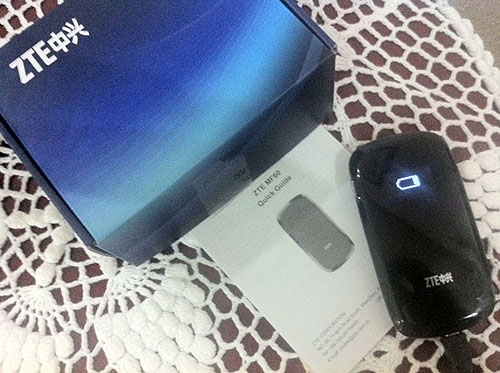
Getting the ZTE MF60 USB Modem seemed a logical choice so I can share my internet connection with family and even blogger friends. I also need it for live streaming. So I bought the ZTE MF60 USB Modem from @longbeard (his website here) just last Monday and got it today.
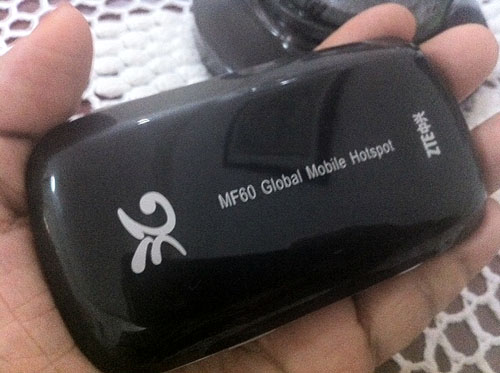
This nifty pocket wifi works like my Huawei e585 except that this model supports the new HSPA+ network from both Globe and Smart which means that the portable WIFI modem can reach the 10Mbps or 12Mbps downlink speeds of the telco.
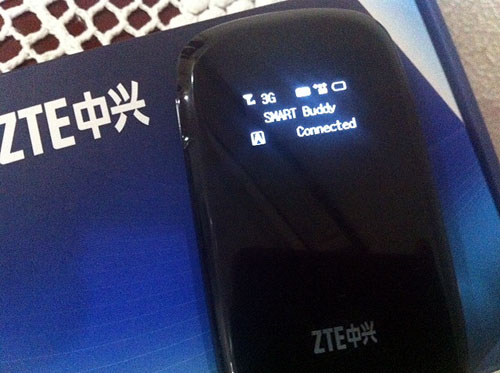
I decided to test it with a SMART SIM from one of my household staff since mine is being used by my brother. I also thought that based on the list of HSPA + sites in Manila, my location will be covered.. When I turned it on, the signal was only 3G. Shucks. I don’t know if SMART is just bluffing about their HSPA + capability or it is down right now. I will have to review this again next week.
Using the ZTE MF60 was easy. I just turned it on and waited to get connected. There is a temporary password found in the inner back cover of the modem. I then logged on to the web interface to change the default username and passwords.
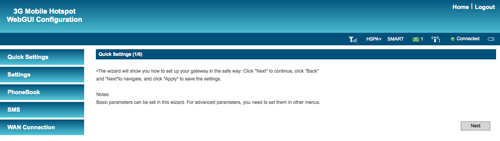
The default language is Chinese but that was easily changed to English. I just followed the instructions in the brochure that came with the box. Voila. I was busy testing the speed.
Using speedtest.net, I discovered that the speed is highest in SMART servers and slow in Globe servers. I don’t think speedtest.net a reliable gauge to test the speed or is it just not relying on the telecom as the web server? Yugatech tested it in both Globe and Smart SIM but I am not sure what web server he used to check the speed.
Looking at my dashboard, the signal says it is HSPA + but on the LED screen, it says 3G. It feels that I have a fast internet connection.
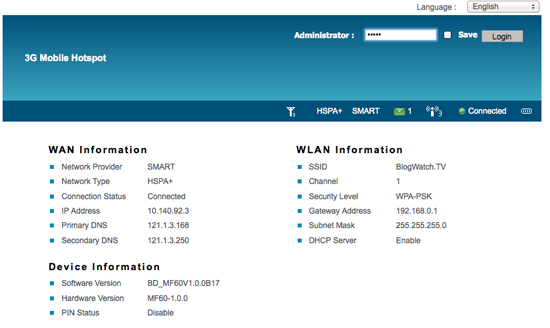
Take a look at my results all taken within 30 minutes.
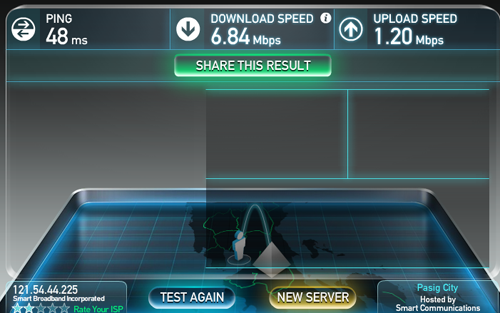
Here are speed results from SMART servers :
It says the speed is 6.84 mbps from SMART Pasig which is my place of residence. I expect the speed to be more considering that I am located in an HSPA + site kuno.
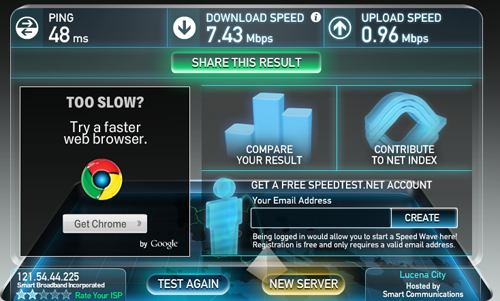
Results from SMART Lucena shows even higher speed at 7.43 mbps download speed.
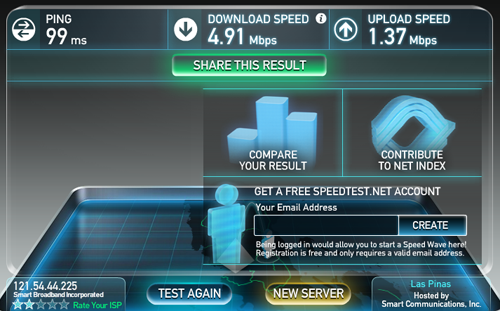
From Smart Las Pinas, the speed drops down to 4.91 mbps.
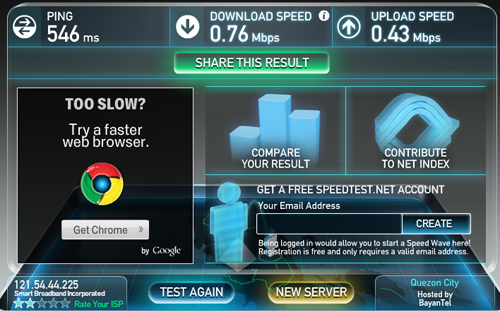
I checked it with other servers and found from a Bayantel server that the speed result is 0.76 mbps.
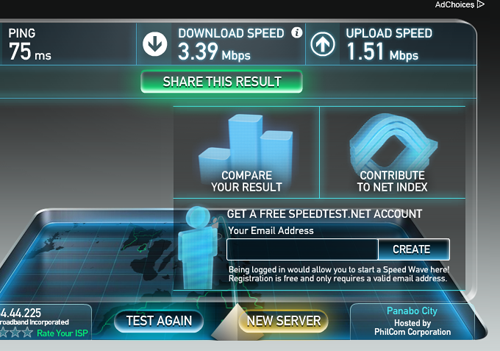
Philcom from Panabo city shows a speed result of 3.39 mbps.
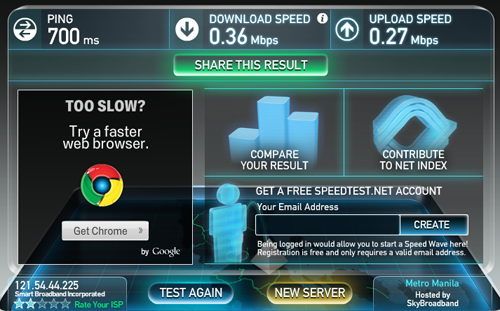
Skybroadband server says speed is 0.36 mbps.
Lastly, the lowest of all speed results is from Globe is 0.24 mbps
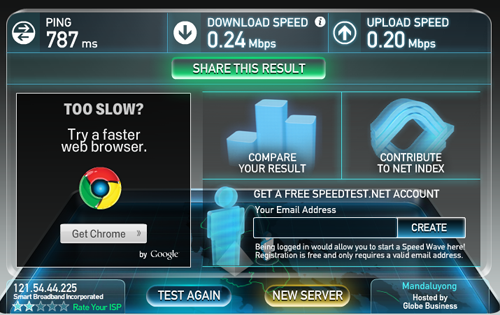
The maximum capability of the ZTE MF60 to reach the 10-12 mbps speeds cannot be tested yet since I can only get 3G signal . This is the first day I am using the ZTE MF60. I will have to check with a Globe SIM and review the SMART speed result with another SIM card so stay tuned for my follow-up review.
I bought the ZTE MF60 for 7,000 pesos from @longbeard
2 thoughts on “Initial impressions on the ZTE MF60 USB Modem Mobile hotspot”
Looking forward to your next test of this modem.
This modem is awful as you cannot switch off sleep mode. After 10 min of inactivity it shuts down wifi even if you are conected to AC. You gotta press the button power on the router. Sick! No way you can change settings and disable sleep mode.